
Mother Dev Tools
Install Mother Dev Tools from the Visual Studio Marketplace.
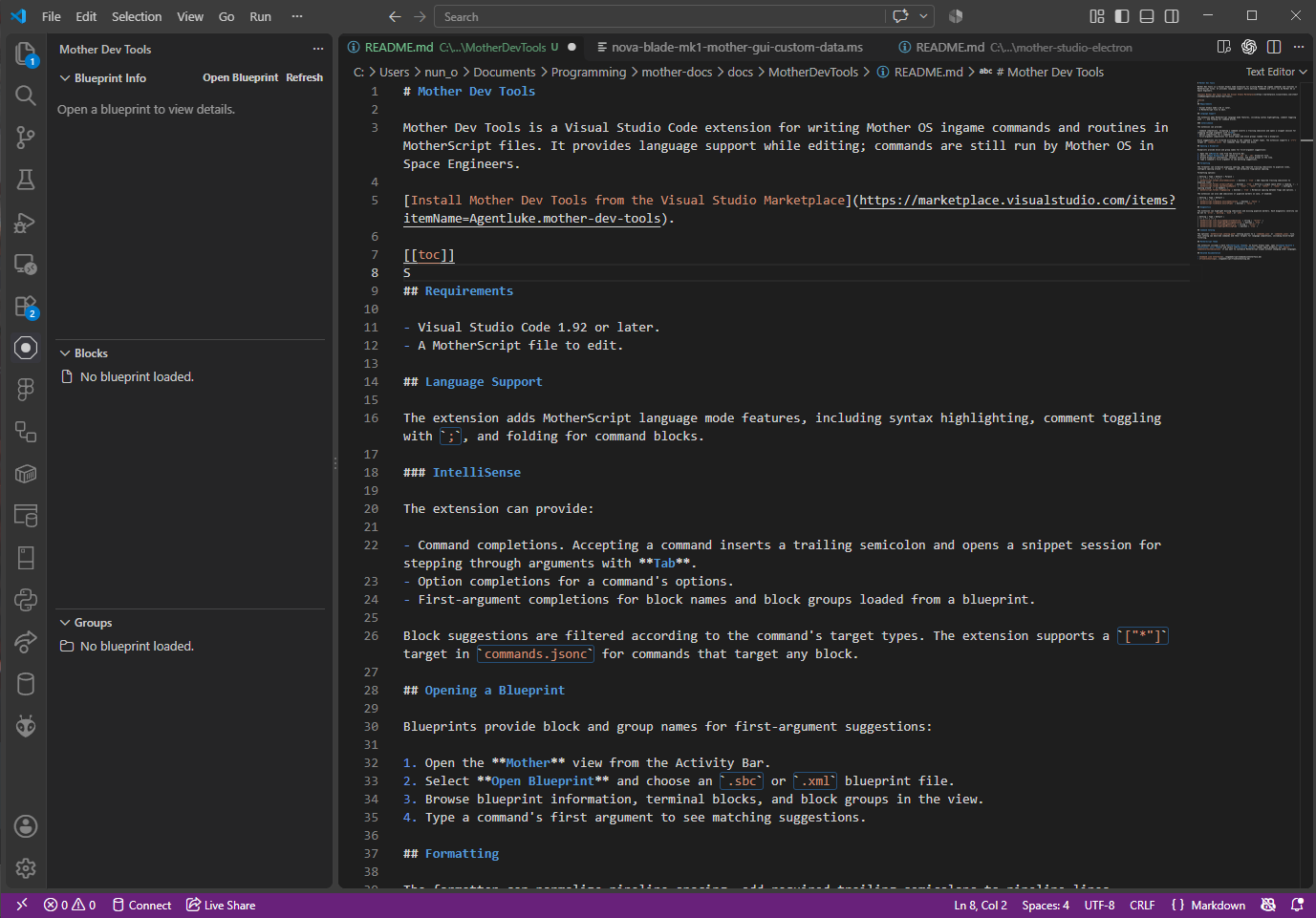
Mother Dev Tools is a Visual Studio Code extension for writing Mother OS ingame commands and routines in MotherScript files. It provides language support while editing scripts in a an approachable code editor.
Requirements
- Visual Studio Code 1.92 or later.
- A MotherScript file to edit.
Language Support
The extension adds MotherScript language mode features, including syntax highlighting, comment toggling with ;, and folding for command blocks.
IntelliSense
The extension can provide:
- Command completions. Accepting a command inserts a trailing semicolon and opens a snippet session for stepping through arguments with Tab.
- Option completions for a command's options.
- First-argument completions for block names and block groups loaded from a blueprint.
Block suggestions are filtered according to the command's target types. The extension supports a ["*"] target in commands.jsonc for commands that target any block.
Opening a Blueprint
Blueprints provide block and group names for first-argument suggestions:
- Open the Mother view from the Activity Bar.
- Select Open Blueprint and choose an
.sbcor.xmlblueprint file. - Browse blueprint information, terminal blocks, and block groups in the view.
- Type a command's first argument to see matching suggestions.
Command autocompletion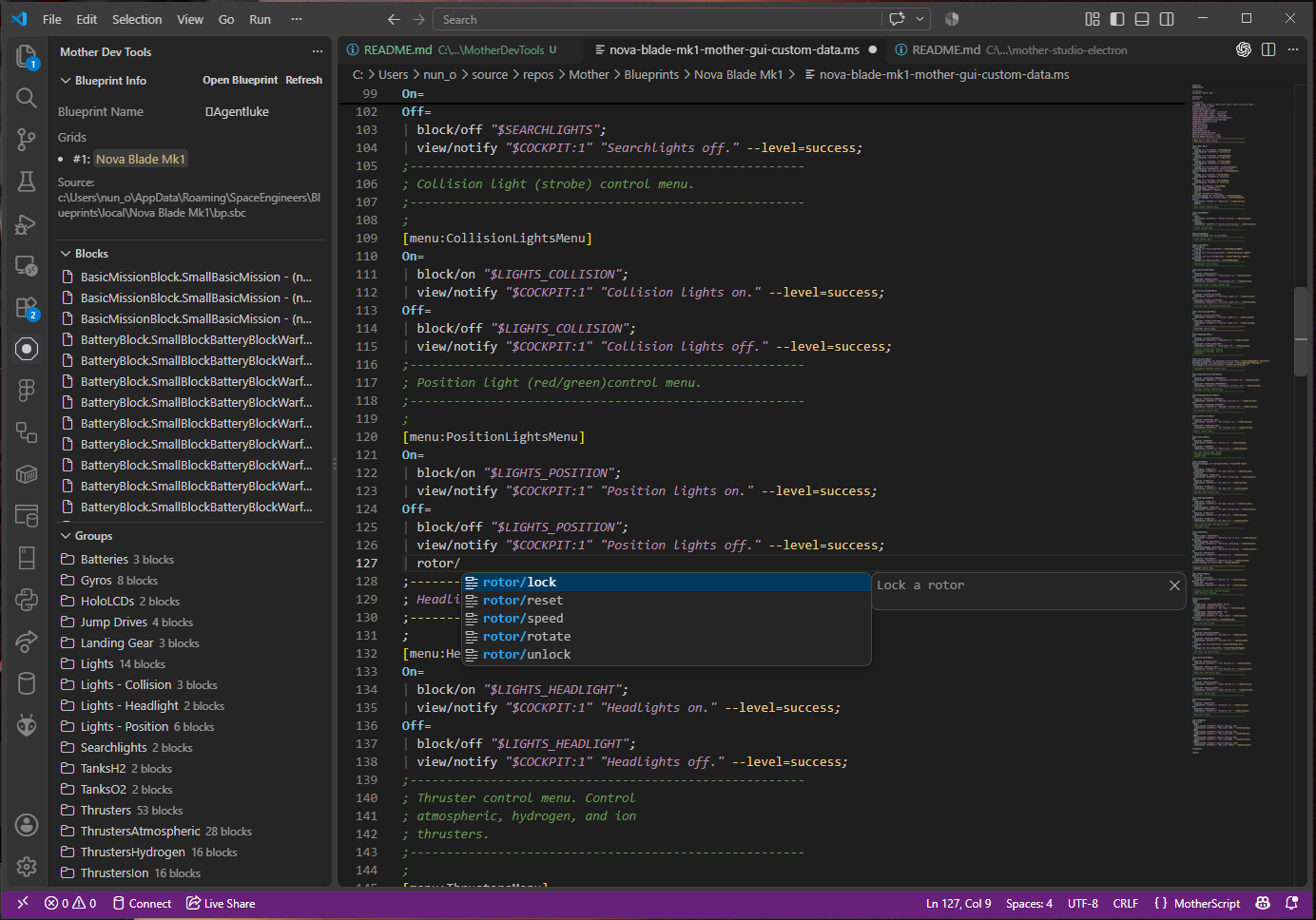
Blocks and Groups intelligence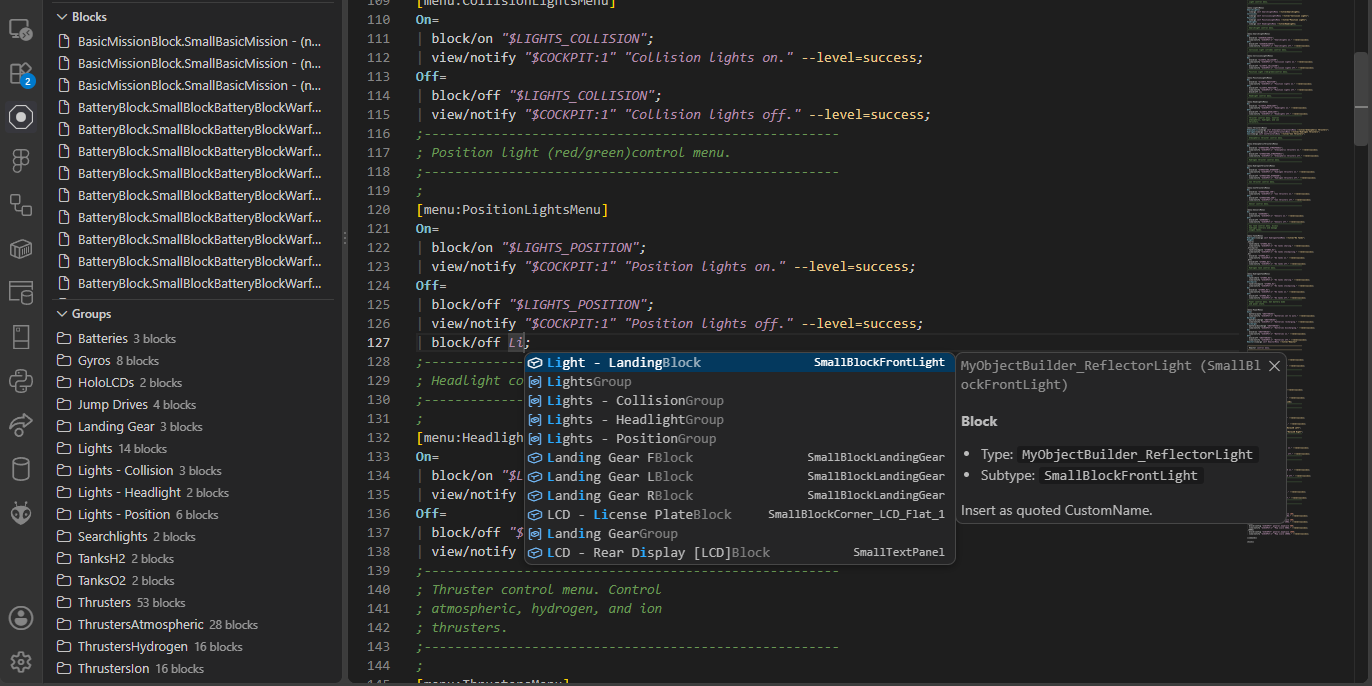
Formatting
The formatter can normalize pipeline spacing, add required trailing semicolons to pipeline lines, configure spacing around = in headers, and normalize flag/option spacing.
Formatting options:
| Setting | Type | Default | Purpose |
|---|---|---|---|
motherscript.format.ensureSemicolons | boolean | true | Add required trailing semicolons to pipeline lines. |
motherscript.format.normalizePipes | boolean | true | Enforce a single space after a leading ` |
motherscript.format.spaceAroundEquals | "none", "both", or "after" | "none" | Configure spacing around = in headers. |
motherscript.format.flagSpacing | boolean | true | Normalize spacing between flags and options. |
The extension can also add semicolons or pipeline markers on save, if enabled:
| Setting | Type | Default |
|---|---|---|
motherscript.fixOnSave.ensureSemicolons | boolean | false |
motherscript.fixOnSave.ensurePipes | boolean | false |
Diagnostics
The extension can highlight missing semicolons and missing pipeline markers. Each diagnostic severity can be set to error, warning, hint, or info.
| Setting | Type | Default |
|---|---|---|
motherscript.lint.missingSemicolonSeverity | string | "error" |
motherscript.lint.highlightMissingSemicolon | boolean | true |
motherscript.lint.missingPipeSeverity | string | "error" |
motherscript.lint.highlightMissingPipe | boolean | true |
Command Catalog
The optional motherscript.catalog.path setting points to a commands.json or commands.jsonc file. This catalog can describe commands and their targets for language completions, including block-target filtering.
MotherScript Theme
The extension includes a dark MotherScript Theme. In Visual Studio Code, open Command Palette → Preferences: Color Theme and select MotherScript Theme. Themes apply globally; use editor.tokenColorCustomizations if you want to customize MotherScript scopes without changing other languages.